Attendance
Please click the yellow box below to submit an attendance note directly to your student's campus. You can submit a parent note or upload a medical note from your child's doctor.
1. Click the yellow box and sign into Skyward family access
2. Click on the Attendance tile

3. Click the Absence Request tab and "add Absence Request"

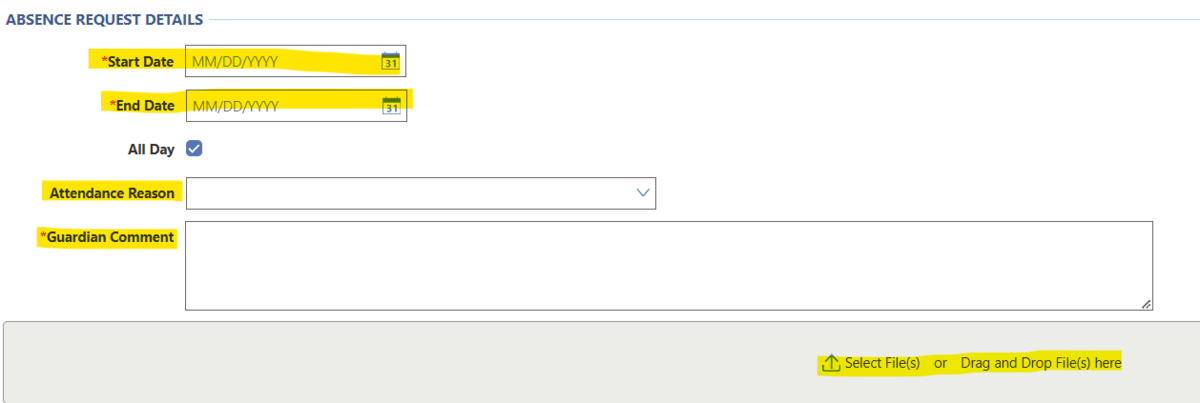
4. Enter the start and end dates, you may select either "parent note" or "medical appointment" for the attendance reason and enter a comment. If you choose "medical appointment" you must provide a Doctor's note to the school by turning it into the campus or you can upload it with the request. Click "save" on the top left when you are done.
Please contact your student's campus if you have any questions.